

Reliable phone access can help older adults manage doctor visits, family calls, emergency updates, benefits, and everyday communication with more confidence. A free iPhone for seniors may be available through Lifeline-related providers or limited assistance-based offers.
TeaKoe’s guide helps readers compare realistic phone options, understand safer application steps, and avoid misleading claims.
1. Why Many Seniors Prefer iPhones Over Android Devices?
Many older adults prefer phones that feel simple, familiar, and easy to manage without too many confusing settings.
- Simple interface: iPhones have a consistent layout, making it easier for seniors to find calls, messages, photos, and settings without learning too many different menus.
- FaceTime and iMessage: Built-in Apple features make it easier to stay in touch with family members who also use iPhones.
- Helpful accessibility tools: Larger text, voice control, screen zoom, hearing support, and emergency features can make daily use more comfortable.
- Strong security updates: iPhones are known for reliable software support, which can help protect personal information and reduce security concerns.
- Better family support: Relatives who already use Apple devices can often guide seniors more easily through setup, troubleshooting, and app use.
>>> Read more: The Latest Guide to a Free Government iPhone 14 Pro Max [2026]
2. Two Common Ways Seniors May Qualify for Lifeline
Seniors can qualify for the Lifeline Program through approved benefit participation or household income.
Qualifying Through Assistance Programs
Older adults may qualify if they or someone in their household receives benefits from an approved program. Common examples are below:
- Supplemental Nutrition Assistance Program (SNAP)
- Medicaid
- Supplemental Security Income (SSI)
- Federal Public Housing Assistance (FPHA)
- Veterans Pension and Survivors Benefit
- Tribal assistance programs for Tribal lands
This path can be easier to verify because seniors may already have a benefit letter, award notice, or official program document.
Qualifying Through Household Income
Seniors may also qualify through household income, even without receiving one of the listed assistance benefits.
Lifeline rules allow qualification when household income is at or below 135% of the Federal Poverty Guidelines, with the exact limit changing by household size and state.
For this path, applicants may need proof such as recent pay stubs, a tax return, or other accepted income records.
Once the income review is complete, they can choose a participating provider and check whether available plans fit their calling, texting, internet, or device needs.
3. How to Apply for a Free iPhone for Seniors?
Lifeline-qualified applicants can apply through AirTalk Wireless by checking eligibility, confirming service availability, and reviewing the devices shown during enrollment.
Step 1: Check Lifeline Qualification
Begin by reviewing whether the applicant qualifies through an approved assistance program or household income.
It may also help to prepare supporting documents early, such as proof of identity, address, income, or program participation.
Step 2: Enter the ZIP Code
Visit the AirTalk Wireless website and enter the applicant’s ZIP code to check local service availability.
Plan options, coverage, and device choices can vary by location.
Step 3: Review Plans and iPhone Options
Look through the Lifeline plan details before selecting a device.
Applicants looking for free iPhones for seniors should check whether the iPhone shown is free, discounted, or tied to specific terms.
Step 4: Complete the Application Form
Fill out the application with the applicant’s legal name, date of birth, home address, contact information, and eligibility details. Make sure the information matches official records.
Step 5: Upload Proof If Needed
Some applicants may pass automatic verification, while others may need to upload proof of identity, income, address, or program participation.
Clear documents, such as a benefit letter, ID, pay stub, or tax record, can help reduce delays.
Step 6: Submit and Follow Activation Instructions
Review the selected plan, phone option, shipping address, and uploaded documents before submitting.
After approval, AirTalk Wireless will provide shipping and activation instructions, and many approved applicants may receive their device within approximately 7-10 business days, depending on inventory and delivery timelines.
4. Common Online Scams Seniors Should Avoid
Phone assistance offers can be helpful, but fake ads often target older users with urgent messages, copied logos, or promises that sound too good to be true.
Fake Guaranteed iPhone Claims
Be careful with websites that promise every applicant will receive the exact same iPhone model. A real free iPhone for seniors offer should still involve eligibility checks, service availability, and device review.
If a page claims instant approval with no verification, it may be collecting personal information.
Upfront Payment Requests
Some scam pages ask for “shipping,” “activation,” or “reservation” fees before showing clear program terms. Legit providers should explain costs during the official application process, not through random payment links.
Seniors should avoid sending money through gift cards, cash apps, or unfamiliar checkout pages.
Fake Government Websites
Scammers may create pages that look official by using flags, seals, or government-style wording. Real programs should connect users to verified providers or official benefit information.
If the site has no clear contact details, privacy policy, or secure web address, it is safer to leave.
Suspicious Social Media Ads
Social media ads can use countdown timers, fake screenshots, or copied provider names to create pressure. Instead of clicking the ad, users should visit the provider’s official website directly.
5. The Best of Recommended iPhones for Seniors
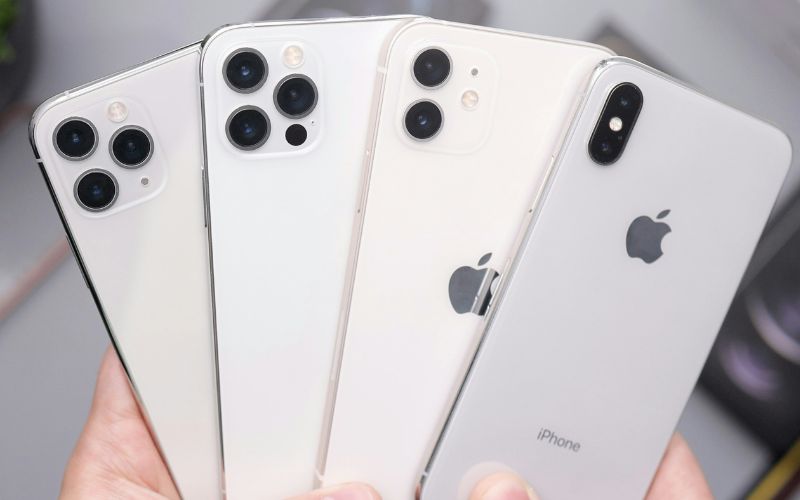
iPhones can be a good fit for many older users because the interface is familiar, the screen is clear, and family members can often help with setup more easily.
At AirTalk Wireless, the iPhone list may change by ZIP code and inventory, so applicants should review the models shown during enrollment before choosing.
| Phone models | AirTalk Wireless Price | Retail price |
|---|---|---|
| iPhone 11 | $99.99 | $228.85 |
| iPhone XS | $8129.00 | $149.50 |
| iPhone 12 | $139.99 | $247.25 |
| iPhone X | $109.99 | $155.25 |
| iPhone SE 2 | $73.99 | $113.55 |
| iPhone 12 mini | $139.99 | $200.00 |
6. Final Thoughts
Phone access can make daily life easier for older adults who need simple ways to call family, manage appointments, use maps, and receive important updates. A free iPhone for seniors may be possible through Lifeline-related providers such as AirTalk Wireless, but the final device depends on eligibility, ZIP code, approval status, and current inventory.
Before applying, review the plan terms, document requirements, and available iPhone models carefully. TeaKoe helps readers compare safer phone options and choose a practical way to stay connected.